Simple browser app
For anyone converting a document
Available now
Download it, open it, and drop in a PDF or Word file. It runs locally, so nothing is uploaded.
Choose a download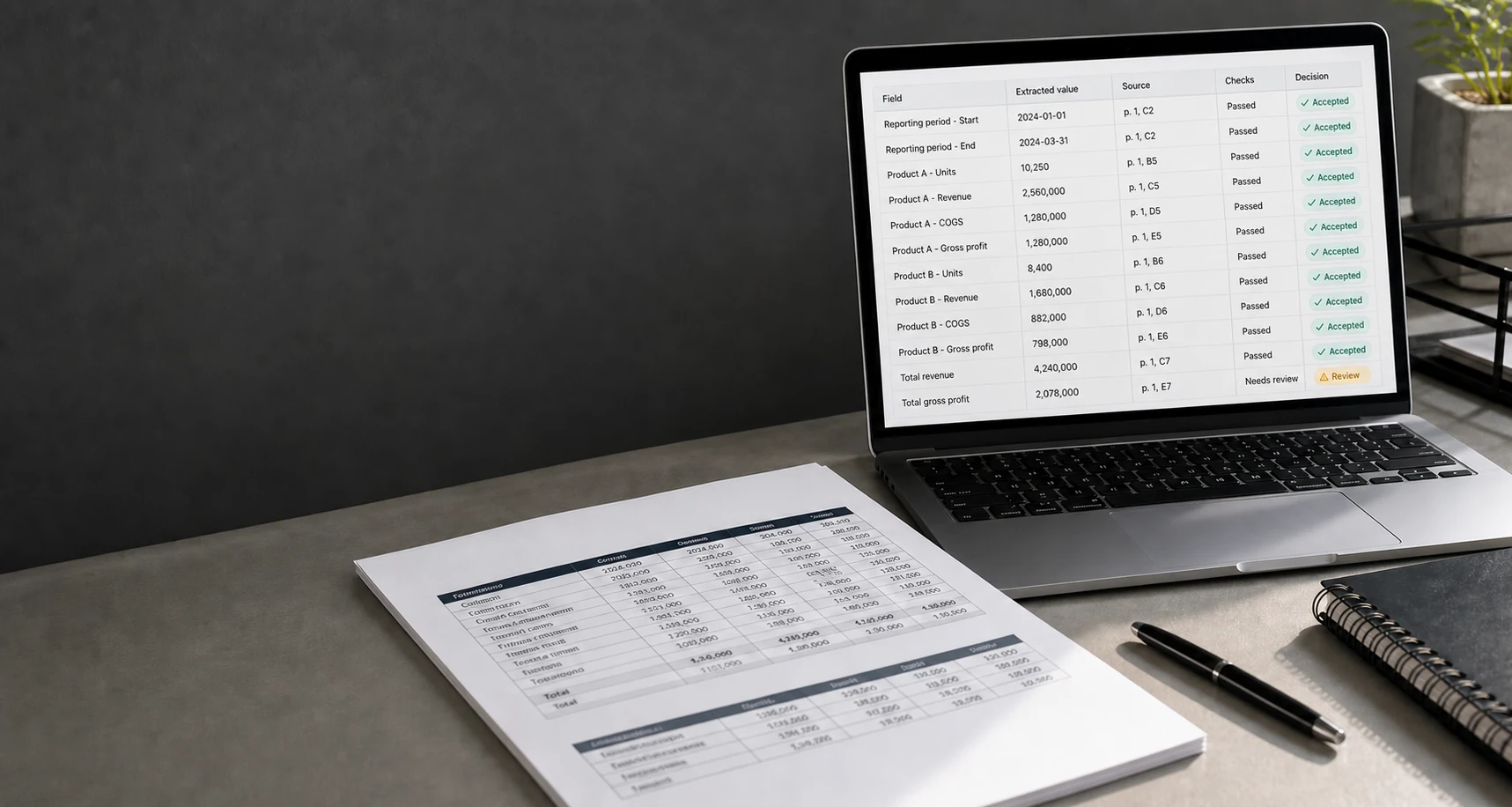
PDF and Word table converter
Turn document tables into Excel, CSV, or JSON.
Give it a PDF or Word file. It finds the tables, extracts the rows, and returns data your software or AI agent can use. Every value can point back to its source, and uncertain results are marked for review.
PDF or DOCX in Excel, CSV, or JSON out No OCR for scanned files
Simple browser app
Download the ZIP, unzip it, and double-click the app. It opens in your browser and processes documents only on your computer.
Community beta, currently unsigned. Your computer may ask you to confirm before opening it. See all v0.4.0 downloads.
A simple example
This sample invoice contains an item, quantity, and price table. pdf-mcp extracts all three rows and creates an Excel workbook plus CSV or JSON data. It also records where each value appeared in the document.
| Item | Quantity | Unit price | Source |
|---|---|---|---|
| Widget | 3 | 12.50 | Page 1, row 1 |
| Gadget | 1 | 40.00 | Page 1, row 2 |
| Bolt | 10 | 0.25 | Page 1, row 3 |
Real output from the included synthetic invoice example.
Access
The downloadable browser app works without Python or an agent. Hosted API access and document setup services are request-only.
Simple browser app
For anyone converting a document
Available now
Download it, open it, and drop in a PDF or Word file. It runs locally, so nothing is uploaded.
Choose a downloadHosted API beta
Free during beta
Applications open
Send a redacted file to an API and receive the extracted data without running the tool yourself.
Applications are open. Invitations begin after endpoint deployment. Send no documents by email.
Document setup pilot
From EUR 19
Requests open
We test sample documents, configure the fields you need, and show what works and what needs review.
View pilot scopesHosted usage records exclude filenames, document contents, extracted text, and table cells. Read the privacy boundary.
What has been tested
We created 18 fictional water-report documents to test all three outcomes. These tests show that the software behaves consistently on those examples. They are not customer evidence and do not predict accuracy on your documents.
See every test document and resultHow reliable extraction is set up
Specify the columns you need, such as item, quantity, price, or sample ID.
Read the table and keep a reference to the source of every value.
Compare the extracted rows with answers approved by a person.
Use clean results and hold uncertain or unsupported documents for review.
Good fit
Try it on your documents
Self-serve checkout remains disabled until business registration details are published.
Single-Document Feasibility Check
EUR 19 excluding VAT
1 document | 10 pages | 5 detected tables
Scope request by email. Do not attach the document.
For recurring workflows
Document Reliability Pilot
EUR 99 excluding VAT
5 similar documents | 50 pages | 1 workflow
Scope request by email. Do not attach documents.
If accepted documents cannot produce a usable versioned profile and evaluation baseline, choose a full refund or no-cost cancellation before manual rework.
Free local software, private customer data
The local pdf-mcp software is MIT licensed and sends no usage data. Settings made for a customer's document type and the correct answers used for testing stay private unless that customer chooses to share them. The hosted beta is a separate service.